
CZUR ET24 Pro review: the work after each book scan
By KangaMall Editorial Team · Updated Oct 29, 2026 · 7 min read
Research-based recommendation · No numerical score
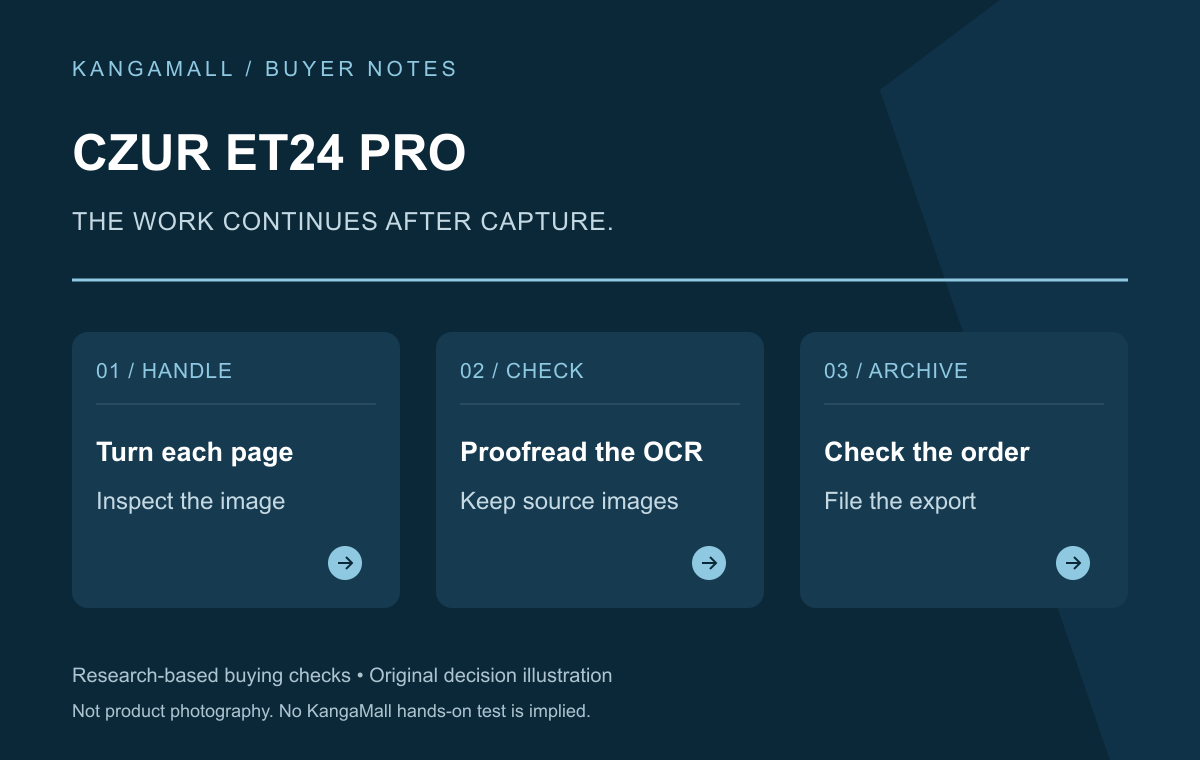
Original KangaMall decision illustration; not product photography.
KangaMall Verdict
🟠 ConditionalThe CZUR ET24 Pro is worth considering for repeated bound-text scanning when you are willing to turn pages, inspect captures and correct OCR. It is not an automatic book feeder, and its quick capture claim is not a finished-book speed guarantee. Three named reviews make the workflow trade-offs clearer than the resolution alone. The checked new US offer was US$649 from CZUR-US, shipped by Amazon; we would skip it for color-critical preservation or fragile originals without specialist advice.
Pros
- Overhead capture and a foot pedal can help when both hands are holding a bound book open.
- A self-purchased review documents useful curve-flattening and real book-scanning work.
- A specialist option for recurring bound-text tasks, with an in-stock exact new offer checked.
Cons
- You still turn pages, inspect images, run OCR and organize exports.
- Published tests report imperfect text recognition and color limitations.
- A lightweight base and fixed small display drew criticism in a later review.
Best for: Researchers repeatedly digitizing bound text they are entitled to copy; Home-office archivists willing to inspect page images and correct OCR
Key Specifications
| Exact model | ET24 Pro, ASIN B0BM92YPHW; not ET Max |
|---|---|
| Maker resolution | 24MP / nominal 320dpi; not an independent image-quality measurement |
| Page handling | Manual, with foot-pedal capture; no automatic page turning |
| Checked seller | CZUR-US; shipped by Amazon |
| Manufacturer coverage | One-year limited hardware warranty; proof and exclusions apply |
Buy it for repeated bound-text work
The ET24 Pro makes the most sense when bound material is a recurring task rather than a one-off curiosity. Research notes, family journals and reference volumes create a different handling problem from a stack of loose receipts. The useful question is whether its overhead workflow fits those materials and your time, not whether a 24MP headline sounds better than a phone. We have not run a controlled phone-versus-scanner comparison.
Larry Jordan bought his own ET24 Pro and used it with journals and bound books. His review gives this recommendation a practical foundation: curve flattening and foot-pedal operation helped him process material while managing the book itself. That does not remove the operator. You still need to turn pages and decide whether the image is worth keeping. Source: Larry Jordan.
This article answers the ownership and workflow question for the exact ET24 Pro. Our separate ET16/ET18/ET24 family guide compares model choices; it is useful background if you have not selected a model yet. Neither article is a claim that we personally scanned books with these machines.
Identify the recurring bound material and who will handle each capture.
A quick shutter is not a finished digital book
CZUR advertises a 1.5-second capture. That is not a promise that every page will be flattened, checked, recognized and filed in that time. Jordan’s 2023 workflow was closer to about five seconds for a two-page spread, with a roughly 200-page book taking about 15 minutes in his example. Those are his observations on his material, not a benchmark we have reproduced or a deadline for your collection. Source: CZUR; Larry Jordan.
The distinction changes the buying calculation. A usable archive includes complete page images, correct order, legible margins, a sensible file name and an export you can reopen. OCR adds searchable text, but it also adds a checking task. If those steps have no owner, a faster capture button may simply create a larger folder of unfinished work.
Build a small representative pilot into your decision: an ordinary spread, a page near the binding and any glossy or awkward material you expect to handle. Compare the original with the saved image and exported result. This is a suggested acceptance process, not a claim that a retailer grants unlimited use followed by a free return.
Estimate the complete capture-to-export routine, not pages multiplied by shutter speed.
Check the page image before trusting the OCR
Jordan found imperfect OCR and a green cast in some captures, and reported that automatic enhancement could hurt color. His article dates to 2023. We cannot establish that every issue persists in the latest software or that an update has fixed it. What remains useful is the method: inspect what was actually captured before trusting the recognized text. Source: Larry Jordan.
Keep the original page images alongside working exports where your storage and handling plan allow. Check for missing or duplicated pages, cropped edges and text lost near the binding. Proofread names, numbers and passages that matter to your use. Searchable text can be convenient without becoming a reliable substitute for the source image. These are quality-control steps, not evidence that this device has achieved archival certification.
The official manual discusses the positioning needed for curve detection and the use of side lights with glossy material. Flattening a captured image is not the same as physically protecting an old binding. We would not recommend experimenting on a fragile original simply because the software can straighten a page. Specialist handling is a separate requirement. Source: CZUR.
Keep and inspect source images, then proofread important recognized text.
The desk setup matters over repeated sessions
The Gadgeteer’s 2022 review, based on a CZUR-supplied sample, found a multi-step software workflow and described how the foot pedal helps while both hands keep a book open. That is a useful handling observation, with the software age and supplied sample made explicit. It is not proof that the current application looks or behaves exactly as it did in 2022. Source: The Gadgeteer.
Mark Pickavance’s later TechRadar review questioned the lightweight plastic base and the viewing angle of the small fixed display. He nevertheless found the scanning process practical after learning it. For a repeated seated task, reach, screen position and a stable desk deserve attention alongside capture specifications. We have not measured tipping resistance or established a universal ergonomic setup. Source: TechRadar / Mark Pickavance.
Those accounts suggest a specific pre-purchase check: can your book, mat, controls and computer fit in a usable arrangement for the sessions you actually plan? Do not assume that an overhead arm makes a device equally convenient for every desk or every operator.
Plan the book, pedal, computer and seated viewing position together.
Verify your current computer, not an old compatibility list
The current ET24 Pro section of CZUR’s product page lists Windows 10/11 on x86, Intel Macs on macOS 12 or later, Apple Silicon on macOS 13 or later, and Ubuntu 20.04–24.04. These are manufacturer-listed combinations at our research check. Confirm your exact processor, operating system and required functions against the current download and support documentation before paying. Source: CZUR.
The older manual and reviews refer to earlier software and operating systems. We have not tested every listed system, export format or current build, so a compatibility list is not our performance guarantee. Use the official software source and seek support if installation fails; this article does not recommend disabling antivirus or firewall protections. Source: CZUR.
For occasional loose-paper work, investigate a suitable sheet-fed scanner category separately. For color-critical reproduction or rare originals, specialist capture may be the more relevant service to assess. We are not supplying an unverified competing product or claiming the ET24 Pro solves those different requirements.
Check the exact current software requirements against your own computer and output needs.
At US$649, the recommendation needs a repeatable use
The exact new ET24 Pro offer was in stock at US$649, sold by CZUR-US and shipped by Amazon with US ZIP 10001 selected. The buy box displayed FREE 30-day refund/replacement. Check the actual order conditions, condition requirements and final total; this is not a promise of unrestricted used-item returns or the terms of CZUR’s direct store.
CZUR lists a one-year limited hardware warranty, and the manual makes proof, assessment and exclusions material. That is different from a promise of free on-site assistance, software installation service or unlimited replacement. Keep the exact invoice and confirm regional and seller eligibility if warranty coverage is central to the purchase. Source: CZUR; CZUR.
Our verdict is a conditional recommendation for recurring bound-text work. The value rests on a process you will actually complete: careful page handling, checking, OCR correction and filing. Someone seeking an automatic page turner, preservation-grade color or a solution that makes fragile books safe to handle should look beyond this shortlist. The machine can assist a workflow; it does not supply one by itself.
Buy when the recurring task justifies the full workflow, not merely the capture specification.
The exact offer and seller checked
Offer check: October 29, 2026, US market. CZUR-US: listed US$649.00. Observed exact new US Amazon listing on October 29, 2026, ZIP 10001; seller CZUR-US, shipped by Amazon. No coupon, used-item price or card incentive applied. Final checkout total not verified. Selected new-item buy box displays FREE 30-day refund/replacement. Confirm order-level conditions and original-condition requirements; not an unrestricted used-item trial or the direct-store return policy. CZUR lists a one-year limited hardware warranty, subject to proof, assessment, local eligibility and exclusions. Manual excludes misuse and unauthorized repair; no unlimited on-site labor, software-installation service or replacement promise. New ET24 Pro, ASIN B0BM92YPHW; not ET Max or another family member.
Prices, sellers and terms can change. Confirm the exact item and total at the retailer.
Confirm the same seller, model and terms before paying.
Buy this if…
- Researchers repeatedly digitizing bound text they are entitled to copy. A conditional fit after the exact setup, service and buying checks in this review.
- Home-office archivists willing to inspect page images and correct OCR. A conditional fit after the exact setup, service and buying checks in this review.
Skip this if…
- Buyers expecting automatic page turning or sheet feeding. Wait, keep existing equipment or investigate the alternative category described above; no competing exact offer is verified here.
- Color-critical reproduction or fragile bindings without specialist advice. Wait, keep existing equipment or investigate the alternative category described above; no competing exact offer is verified here.
Frequently Asked Questions
Does the ET24 Pro turn book pages automatically?
No. You handle and turn the pages. The foot pedal can trigger capture while your hands hold the book, but this is not an automatic page-turning scanner or sheet feeder.
Does 1.5-second capture mean a book is finished that quickly?
No. CZUR’s capture claim excludes page handling, image inspection, OCR correction and filing. Larry Jordan’s 2023 self-purchased review describes about five seconds per two-page spread in his workflow; that observation is not a guarantee for your material or current software.
Is it suitable for preservation-grade color or fragile books?
We would not recommend it on that basis. Published testing reports color and OCR limitations, and software curve flattening does not protect a fragile binding. Assess specialist handling and capture requirements separately.
What price, seller and warranty did you verify?
The new ET24 Pro, ASIN B0BM92YPHW, was US$649, sold by CZUR-US and shipped by Amazon, with US ZIP 10001 selected. It was in stock and displayed FREE 30-day refund/replacement. CZUR lists a one-year limited hardware warranty subject to invoice, eligibility and exclusions; confirm order-level terms and the final total.
About this review
KangaMall Editorial Team analyzed manufacturer documentation, named third-party tests and attributed owner reports. This is a research-based review. KangaMall did not personally test this product and assigns no numerical score.
How we evaluated this product
Research checked October 29, 2026. We separated manufacturer specifications, named test results, owner anecdotes and our buying judgments. Reviewers’ commercial relationships and test limitations are described where material. Prices have their own observation dates and are not checkout guarantees. KangaMall may earn a commission through eligible purchase links.
Read our review method or send a correction.
Related reading: ET16, ET18 and ET24 model-selection guide.
Sources
Affiliate disclosure (FTC §255): When you buy through links on this page, KangaMall may earn a commission at no extra cost to you. Read how this site is funded.